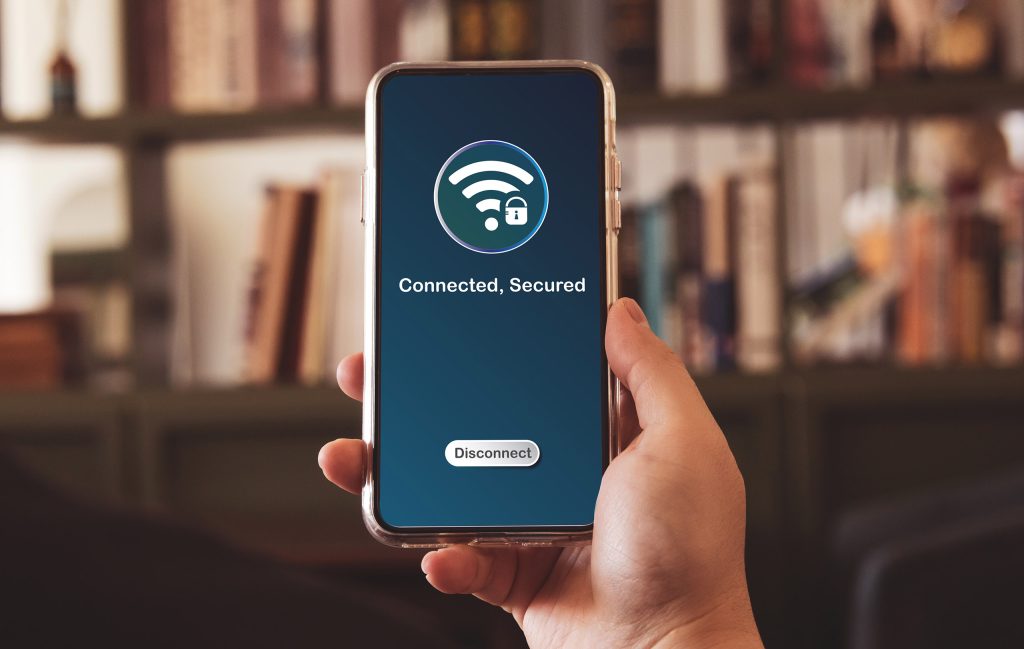
How to Get an IP Address from the US in Canada

Canadians can’t help but feel a bit of envy at the vast array of digital services available to Americans. But beyond that, a US IP address is a superpower for Canadians in quite a few applications.

Whether you want to binge-watch a US-exclusive show on Netflix, test how your website looks to American visitors, or unlock services that are only available south of the border, getting a US IP address while living in Canada is easier than ever.

Think of it like virtually crossing the border without lining up at the bridge or explaining your plans for the day to a customs officer. With the right tools and know-how, you can browse the internet as if you’re sitting in Buffalo instead of Burlington. Essentially, it comes down to adding another layer between your internet connection and what you’re accessing online, so your real IP is hidden.

In this guide, we’ll cover what a US IP address is, why you might want to use one, and the top methods to get one in Canada. You’ve got plenty of options, including VPNs, proxies, Smart DNS, or even a dedicated IP.

What’s a US IP Address?

First off, let’s start with the basics. An IP (Internet Protocol) address is a unique string of numbers assigned to your device when it connects to the internet. It acts like your digital mailing address, and it’s commonly used by companies to identify different users.

A US IP address is simply an IP address assigned to a device located in the United States. Websites use your IP to determine:

  • Your country and sometimes your city
  • Which version of their site to show you, if different versions exist
  • What content is available to you
  • Pricing and ads tailored to your region

So, if you’re based in Vancouver, B.C., your IP will normally be seen as Canadian by the technologies that detect it online. Switch to a US IP, and websites will treat you as if you’re browsing from New York, Chicago, or Los Angeles.

Reasons to Change Your Virtual Location from Canada to the US

Since you came across this article, it’s clear you want a US IP address or are considering it. But let’s explore all the reasons to get one.

1. Access US-Only Streaming Content

Due to copyright factors and the business strategies of studios and streaming apps, content libraries differ by country.

The US versions of platforms often feature larger catalogs of the movies and shows people really want to see. If you’ve ever heard a friend say, “It’s on US Netflix, but not Canadian Netflix,” you know the feeling.

2. Use US-Only Websites or Services

Some American business tools, sports platforms, or software services restrict access to customers who live outside the US.

Canadians are used to waiting and hoping the digital services they’re interested in will become available in their region. At times, it happens, but just as often it never does. One key example is the free version of Google Voice, which US customers have been enjoying since its release in 2009.

3. Compare Prices

Let’s face it. Canadians are used to paying more for many goods and services. And as much as it feels good to buy Canadian, it can make financial sense to do your online shopping on US sites.

Some online retailers show different prices depending on your country. Using a US IP can let you see American pricing.

4. Website & SEO Testing

If you run a blog or website for your small business, testing how your content appears in US search results can give you an advantage.

You also may want to tailor offers to US and Canadian customers. A US IP is an essential tool to confirm that the geo-targeting on your site works correctly.

5. Privacy

In terms of daily browsing, privacy is a top reason to hide your IP from prying eyes and bad actors. It gives you a degree of anonymity by masking your real location.

Using an IP associated with a different country, like the US, is often one step better than simply using a different Canadian IP.

Top Methods to Find Your Current IP Address

Despite its significance, few people know their IP address offhand. Before changing anything, the first step is to make note of your current IP.

Here are a few fast and easy ways:

  • Search “What is my IP” on Google.
  • Visit a website like WhatIsMyIPAddress.com to check your IP.
  • Have a look at your router settings.
  • Use the command line in your operating system (`ipconfig` on Windows, `ifconfig` on macOS).

Doing a quick test with any of the above methods will confirm whether your IP is currently a Canadian one.

Getting a US IP Address with a VPN

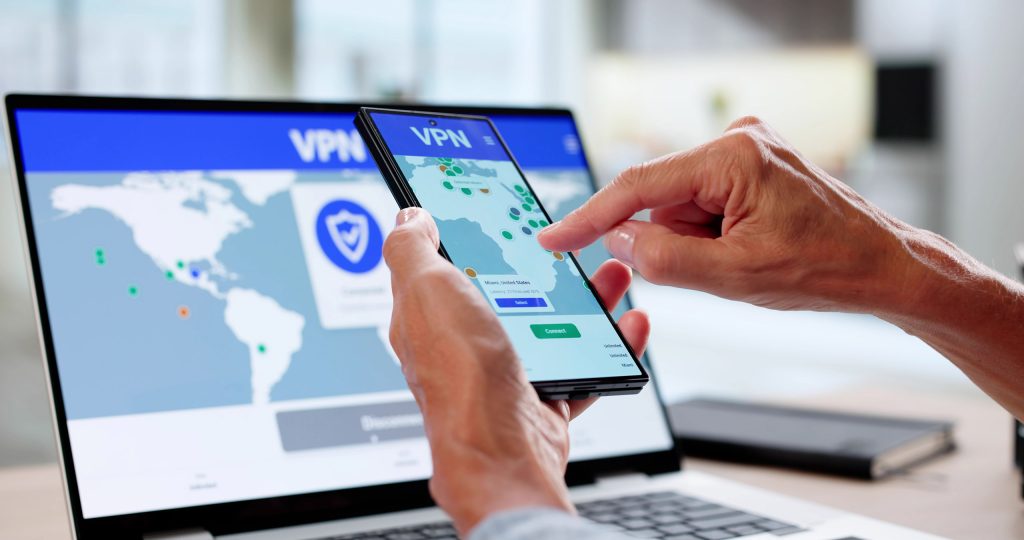
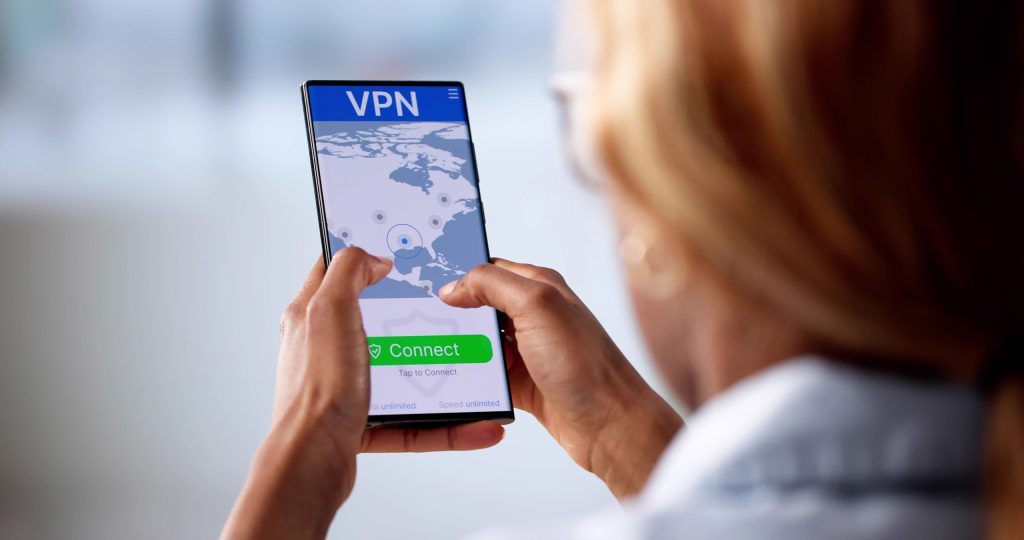
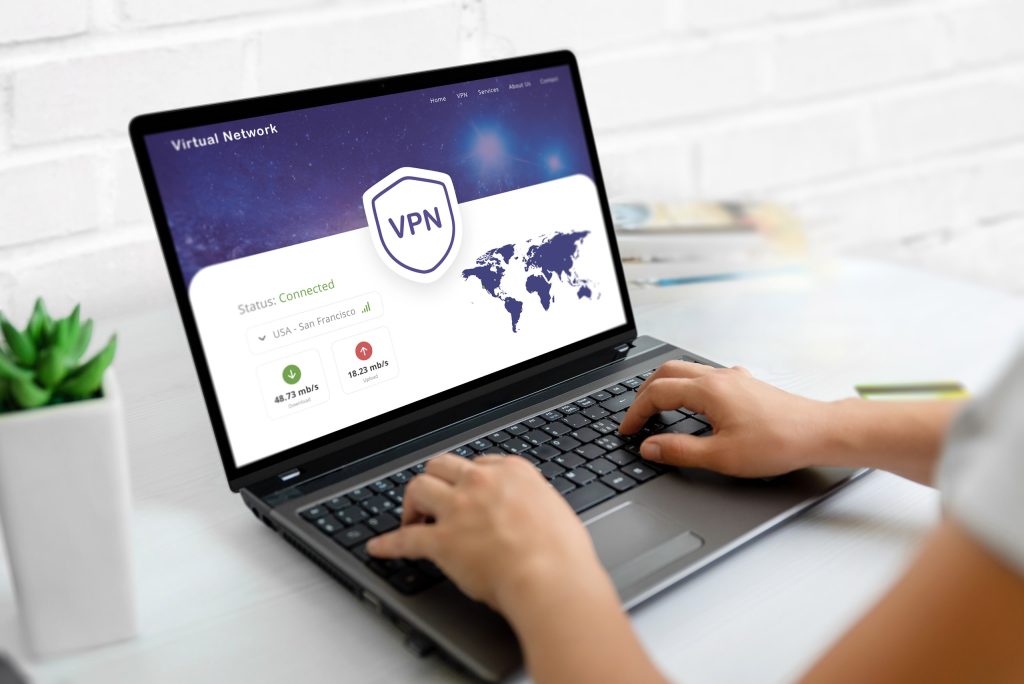
The most popular and reliable way to get a US IP address is by using a Virtual Private Network (VPN).

A VPN works by routing your internet traffic through a server in another country using strong encryption. It’s typically enabled with a dedicated app. When you connect to a US server, websites see the VPN server’s American IP instead of your Canadian one.

How It Works:

  1. Find a suitable VPN service and subscribe. Be sure to view the top 3 VPNs recommended by LetMeBy before you do.
  2. Install the VPN app on your device.
  3. Select a server located in the United States.
  4. Connect with the new IP.
  5. Verify your IP has changed.

The specialized apps offered by VPN providers have made it easier than ever. That’s all there is to it. You’re browsing as if you’re in the US.

VPNs encrypt your data as well, which adds privacy and security on public Wi-Fi networks. That’s particularly handy when you’re checking your email from a Tim Hortons instead of your home office, eh.

Why Some VPNs Are Better Than Others for US IP Addresses

Not all VPNs are created equal. It’s no exception when it comes to US servers.

Here’s what separates the best from the rest:

1. Number of US Servers

More servers across multiple US cities (New York, Dallas, Los Angeles, etc.) means:

  • Better speeds
  • Less congestion
  • More flexibility

You might not be able to find out how many US servers a VPN service has before signing up, but they’re usually quite transparent about how many servers they have overall.

2. Streaming Reliability

Some VPN IP addresses are blocked by streaming platforms, or their performance is choppy in this application. High-quality providers refresh and rotate IP addresses regularly so users have a good experience.

3. Speed & Stability

Speed is one of the most important qualities to look for in a VPN. A mediocre VPN will slow down your internet connection, but you won’t notice the difference with a great service.

If you’re streaming in 4K or working with US-based customers, confirm that the VPN you’re interested in is fast.

4. Dedicated IP Options

Some VPNs offer dedicated US IP addresses (more on that later).

5. Reputation & Transparency

Everyone on social media sites like Reddit seems to swear by different VPN services. Regardless, it’s important to do your research and note what past and present customers have to say.

Look for providers with:

  • Clear privacy policies
  • Independent audits
  • Good customer support
  • Plenty of happy customers

Other Ways to Change Your Public IP Address

Looking for alternatives? While VPNs are the most common solution, they’re not the only game in town. Here are other methods to change your Canadian IP address to a US one.

Each approach has trade-offs in terms of privacy, speed, reliability, and cost. Thus, make note of the pros and cons below.

1. Use a Proxy Server

A proxy server routes your traffic through another server, similar to a VPN. However, most standard proxy servers don’t encrypt your data.

Pros:

  • Usually inexpensive or free
  • Simple to use in a browser

Cons:

  • No full-device protection
  • Weaker privacy
  • Many free proxies are slow or unreliable
  • Often seen as outdated tech compared to VPNs

Proxies can be sufficient for basic tasks like viewing a US-only webpage, but they’re not ideal for streaming or secure browsing. As a rule of thumb, if you need to log in with a US IP, look for a more robust solution.

2. Use a Smart DNS Server

Smart DNS services don’t change your IP in the traditional sense. Instead, they reroute specific parts of your traffic to make services think you’re based in the US.

Thus, if you don’t care if your Canadian IP is seen and simply want to access content for people in the US, it can be worth a shot for casual tasks.

Smart DNS is popular among users who primarily want access to US streaming platforms.

Pros:

  • Faster speeds (no encryption overhead)
  • Excellent for streaming

Cons:

  • No privacy protection
  • Doesn’t hide your full IP
  • Only works with supported services

3. Use Tor Browser

The Tor Browser routes your traffic through multiple volunteer-operated servers around the world. They call this the onion router.

Back in the day, you had to download Tor as a standalone app. So, having Tor built into a web browser is a great development.

Pros:

  • Strong anonymity
  • Free

Cons:

  • Very slow
  • You cannot reliably choose a US exit node
  • Many websites block Tor

Tor is more about anonymity than location spoofing. It’s not a dependable way to consistently get a US IP. Thus, it’s been included here for completeness, but you’ll probably want to explore other alternatives first.

4. Remote Desktop into a US-Based Computer

Here’s a solution for those with US connections as well as tech savviness.

If you have access to a computer physically located in the United States (for example, a friend’s system or a US-based cloud server), you can remotely connect to it.

This gives you a genuine US IP because you’re actually browsing from a US machine.

Pros:

  • Legitimate US IP
  • High reliability

Cons:

  • More technical setup
  • Can be costly if using cloud servers

How to Get a Dedicated US IP Address

As the name implies, a dedicated IP address is assigned exclusively to you, rather than shared with hundreds of other users.

Most standard VPN plans use shared IPs. While that’s fine for most people, shared IPs sometimes get flagged or blocked by websites. The reality is, some use VPNs to hide their IP when they’re doing something they shouldn’t, and you can experience the consequences, even if temporary.

Benefits of a Dedicated US IP:

  • Less likely to be blocked on websites
  • Fewer CAPTCHA prompts
  • Better for important tasks that require a login or for business use
  • Ideal for remote access, as you can access secured work servers or smart home devices that use whitelisting without changing IPs
  • More stable access to certain platforms

How to Get a Dedicated US IP Address:

  1. Choose a VPN that offers dedicated IP add-ons.
  2. Purchase a dedicated US IP through your account.
  3. Connect specifically to your assigned IP inside the app.

Dedicated IPs are usually considered a premium feature, so they cost extra. They’re worth it if you regularly need a consistent American IP.

Things to Keep in Mind

Before switching your IP to the US:

  • Check the terms of service of the websites and apps you use.
  • Be aware that some platforms actively block IP masking tools.
  • VPNs aren’t guaranteed to work with all services, such as streaming apps, and outcomes can change over time.
  • For maximum privacy, choose reputable services and avoid sketchy free tools.

Conclusion

Getting a US IP address from Canada is a straightforward process once you understand your options.

The decision is usually simple too. For most people, a VPN is the easiest and most reliable solution. Proxies, Smart DNS services, and remote desktop setups can also get the job done, depending on what you’re doing. If consistent results and fewer interruptions matter, particularly for business or streaming, a dedicated US IP could be worth the upgrade.

Whether you’re trying to access US-only content or simply browse as if you’re hanging out in Manhattan instead of Mississauga, you’ve got options.

No passport is required. All you need is the right digital tool.

A Beginner’s Guide to Using a VPN

If you spend any time watching tech YouTubers or hanging out on online communities, you’ve probably heard VPNs mentioned. They’re often recommended in video descriptions, podcasts, or Reddit threads. It’s easy to ignore at first, but after a while, it makes you wonder if you’re missing out on something that could be an internal part of your digital lifestyle.

For newcomers, it’s not always clear what a VPN actually does, whether it’s necessary, or if it truly protects your privacy.

Some people see VPNs as essential digital armor. Others assume they’re only for people trying to sidestep bans, torrenting, or travelers watching foreign Netflix libraries. The truth sits somewhere in the middle.

This guide breaks down what a VPN is, what it can (and can’t) do, and how to decide if using one makes sense for you.

What You Can Do With a VPN

Let’s start with a simple definition. A VPN (Virtual Private Network) creates an encrypted tunnel between your device and the internet. Instead of websites seeing your real IP address and location, they see the IP address of the VPN server you’re connected to.

As you may know, your IP address is a main point of data that allows websites and online services to determine your location and to build information about your account activity. Thus, hiding your true IP gives your online privacy a big boost right out of the gate.

With a VPN, you can do quite a bit more than simply conceal your location. By routing your connection through a secure server, a VPN changes how your data moves across the internet and how websites see your device. In practical terms, this opens up several everyday benefits:

  • Add a layer of privacy when browsing the web
  • Protect your data on public Wi‑Fi networks
  • Access region‑locked websites and content
  • Reduce tracking by advertisers and ISPs
  • Mask your real location and IP address

To be clear, a VPN doesn’t give you complete anonymity. It’s more about gaining control over how your data travels.

Does Your Average Internet User Need a VPN?

Not everyone needs a VPN, but many could benefit from one without realizing it. If you’re not online much, browse trusted sites at home, and never use public Wi‑Fi, your risk exposure is relatively low.

However, a VPN becomes an essential tool if you:

  • Use public Wi‑Fi in cafés, airports, or hotels
  • Travel frequently
  • Value online privacy and have concerns about data collection
  • Stream content from multiple regions
  • Work remotely or access sensitive accounts

Think of a VPN like insurance. You might not rely on it every time you access the internet, but when you need it, you’re glad it’s there. It gives informed, tech-savvy people peace of mind.

What Are the Pros and Cons of Using a VPN?

Not only does looking at the pluses and minuses help you decide if you need a VPN, but it also clarifies when you should use one and when you should disable it.

Pros

Let’s have another quick look at why a VPN can be a game-changer. Using one comes with several clear advantages, particularly for users who value privacy, security, or flexibility in how they access the internet:

  • Encrypts your internet traffic
  • Hides your IP address from websites and ISPs
  • Improves security on unsecured networks
  • Enables access to geo‑restricted content

Cons

That said, VPNs are not without trade-offs. Understanding the downsides keeps your expectations realistic:

  • Typically, has slightly slower internet speeds (depending on the server)
  • Subscription costs for reputable services
  • Your VPN isn’t guaranteed to work for some applications, such as unlocking geo‑restricted content
  • Doesn’t make you fully anonymous

To sum it up, a VPN is a powerful tool, but it’s not a magic privacy switch.

Are VPN Services Worth It?

For most, paid VPN services are justifiable.

Anyone who compares a free VPN with a paid one immediately sees why. Free options often come with limits, ads, weaker encryption, or questionable data practices. A free service might get you by if you use it for the occasional inconsequential task, but for anything beyond that, you want a real VPN.

If you value privacy, convenience, and consistent performance, look at getting a VPN subscription as a long‑term investment.

How to Choose a VPN

Selecting a VPN can feel overwhelming at first. There’s no shortage of choices, and if you ask for recommendations online, it seems like everyone swears by a different service.

Instead of focusing on opinions or experience you see on apps such as Reddit, it’s best to evaluate providers based on fundamentals that directly impact privacy, performance, and reliability. Key factors to look for include:

  • A clear no‑logs policy
  • Strong encryption standards
  • A large server network across multiple countries
  • Good performance and reliability
  • Apps for your preferred devices

Independent audits, long‑standing reputations, and clear privacy policies matter more than bold claims. If you take the time to learn about the technologies under the hood, you’ll be rewarded when you make an informed decision.

Check out the top 3 VPNs recommended by LetMeBy here.

Using a VPN on Different Devices

VPNs have come a long way over the years. Since using multiple devices became a part of most people’s daily routine, they’ve leveled up on flexibility. Most providers offer dedicated apps and setup guides that make it easy to protect multiple devices without advanced technical knowledge. Modern VPNs support platforms such as:

  • Windows and macOS computers
  • iOS and Android smartphones
  • Tablets and Chromebooks
  • Routers, smart TVs, and streaming devices

Many subscriptions allow several devices at once, making it easy to protect your phone, laptop, and home network under one account.

Unlock Geo‑Restricted Streaming

For many, especially those who live outside the US, it’s natural to want to explore if the grass is greener on the other side when it comes to access to TV shows and movies. Thus, one of the most popular and widely discussed uses for VPNs is streaming.

Because streaming platforms license content by region, what you can watch can depend on where you’re located. To bypass this limitation, a VPN makes it appear as though you’re browsing from another country.

While results vary by service and platform, this feature is especially appealing to frequent travelers or expats who want to regain access to some of their favorite content.

Stop Bandwidth Throttling

Bandwidth throttling is a lesser-known but frustrating issue. Some internet service providers intentionally slow down certain types of traffic, such as streaming video or large downloads, especially during peak hours. Since a VPN encrypts your traffic, your ISP can’t easily detect your activity, which may help reduce throttling in some cases.

This isn’t a sure thing, but many users notice more consistent speeds when using a VPN.

Advanced VPN Features You Should Know About

Since you’ve made it this far, let’s go beyond the basics.

Outside of basic encryption and IP masking, many modern VPN services include additional tools designed to improve security, usability, and give you peace of mind. These features usually aren’t highlighted when you’re researching VPNs, but they add meaningful value over time:

  • Kill switches that cut internet access if the VPN drops
  • Split tunneling to choose which apps use the VPN
  • Multi‑hop connections for added privacy
  • Built‑in ad, tracker, or malware blocking

These features aren’t essential for beginners, but they’re worth exploring as you get more accustomed to using your VPN.

Conclusion

It’s always important to clearly divide a need and a want. You took that step by doing your research about VPNs and making it to the end of this article.

A VPN isn’t mandatory, but it’s increasingly relevant in a world where data collection, tracking, and online restrictions are the norm. Whether you’re protecting yourself on public Wi‑Fi, streaming content abroad, or simply wanting more control over your online footprint, a VPN is a practical tool.

The key is understanding what a VPN does and what it doesn’t. Used wisely, it enhances your digital life rather than overcomplicating it.

Can You Use a VPN on Fortnite and Should You?

You drop into the Battle Bus, the island stretches out below, and your squad is already arguing about where to land. Maybe you’re chasing that first Victory Royale of the night, grinding quests after work, or jumping in because Fortnite is the one game everyone seems to come back to.

But sometimes the experience isn’t so smooth. Lag spikes ruin firefights. Matchmaking feels sweatier than usual. You can’t connect at school, work, or on a restricted network. Or maybe you’ve heard rumors online: “Use a VPN to get easier lobbies” or “A VPN can lower your ping.”

Gamers can’t help but look for that magic bullet that will give them an edge.

That’s where the question starts popping up: Can you use a VPN on Fortnite? And more importantly, should you?

Let’s break it down and look at the facts.

Can You Use a VPN on Fortnite?

Yes, you can use a VPN while playing Fortnite, and many players do, often without issues.

Fortnite itself doesn’t block VPN usage outright or discourage it entirely. However, Epic Games does care about how and why you’re using one. The distinction matters.

Traditionally, VPNs are used to improve online privacy, secure your connection on public Wi-Fi, or gain access to games and apps that are restricted on local networks.

That type of usage is accepted. However, using a VPN to try to game the system is not. A few examples of behaviors that are frowned upon by Epic Games include using a VPN to:

  • Manipulate matchmaking
  • Evade bans
  • Gain unfair advantages

In short, VPNs aren’t forbidden, but misusing them can put your account at risk.

Benefits of Using a VPN on Fortnite

When used for the right reasons, VPNs offer legitimate advantages to online gamers.

Let’s look at all the reasons to use a VPN in Fortnite that will level up your experience.

Improved Privacy and Security

One key point to keep in mind is that developers like Epic Games have to protect their properties first and foremost.

User privacy is something we can’t assume will always be a top priority. Thus, it’s a good idea to remain proactive about your online privacy to shield yourself from threats.

A VPN hides your IP address and encrypts your connection. This can:

  • Reduce exposure to DDoS attacks
  • Protect you on public or shared Wi-Fi networks
  • Add a layer of privacy while gaming online

This is especially relevant for streamers or competitive players.

Playing on Restricted Networks

Some schools, workplaces, or dorm networks block gaming traffic. This happens when network administrators manually select apps or games to restrict access to.

A VPN can sometimes help bypass these restrictions and allow Fortnite to connect normally. Of course, you’ll want to use discretion when using a VPN for this purpose.

Stable Routing (In Some Cases)

You can’t typically turn a bad internet connection into a good one. However, in rare situations, a VPN may:

  • Route traffic more efficiently
  • Avoid ISP throttling
  • Reduce packet loss

These benefits aren’t guaranteed. It often depends on your VPN provider and server choice.

Risks and Considerations

This is where some players get into trouble.

Employees at Epic look at user behavior in manual reviews and need to make quick judgments about whether there are red flags there or not. Also, automated systems are used to locate accounts that break their rules. It’s important to remember that these methods aren’t perfect.

Thus, using a VPN can lead to account actions if it’s paired with other activities that are seen as suspicious.

Epic Games’ terms prohibit:

  • Circumventing systems
  • Gaining unfair advantages
  • Evading enforcement actions

If a VPN is used to manipulate matchmaking regions or dodge bans, it could result in warnings, suspensions, or permanent bans.

Increased Ping and Lag

A VPN adds an encrypted layer between your device and your internet connection for enhanced privacy, but it’s important to remember that speed is the common trade-off. Often, a VPN will:

  • Increase latency
  • Add connection overhead
  • Make gameplay less responsive

For best results, choose a VPN server that is close to Fortnite’s servers.

Inconsistent Matchmaking Claims

There’s a popular belief that VPNs lead to “bot lobbies” or easier matches. In reality:

  • Fortnite matchmaking is complex
  • Skill, account behavior, and hidden metrics matter more
  • Results are inconsistent and unreliable

Many players report no noticeable difference after the initial novelty wears off.

Who Should Use a VPN on Fortnite and Who Shouldn’t

When it comes to Fortnite, VPNs aren’t a one-size-fits-all solution.

Depending on your needs and what you value the most, a VPN can be essential or not be worth the performance compromise.

VPNs Make Sense If You:

  • Play on public or shared Wi-Fi
  • Want added privacy or security
  • Need access on restricted networks
  • Are streaming and want IP protection

VPNs Aren’t the Solution If You:

  • Want easier lobbies or competitive advantages
  • Are trying to bypass bans or penalties
  • Already have low ping and stable gameplay
  • Play competitively where latency matters most

Only the fastest VPNs are worth a look if performance is your top priority.

What Reddit Users Have Experienced

If you’re looking for consistent and significant changes to functions in the game when using a VPN, Reddit users tell a different story. Across Fortnite and VPN-related subreddits, user experiences follow similar patterns:

  • Short-term curiosity, followed by mixed results
  • Some report smoother connections; many report higher ping
  • “Bot lobby” claims are inconsistent and often debunked
  • Players who used VPNs aggressively for matchmaking manipulation often regret it

The most consistent takeaway from Reddit: VPNs should be used for privacy rather than performance.

Quick Guide to Setting Up Your VPN

Ready to get started with using a VPN on Fortnite? Here’s a simple setup guide:

  1. Choose a reputable VPN provider (fast servers, low latency): Check out LetMeBy’s top VPNs for gaming here.
  2. Select a server close to your physical location (ideally close to Fortnite servers).
  3. Connect before launching Fortnite.
  4. Run a few matches and monitor ping.
  5. Disable the VPN if the performance drop is prominent.

Avoid frequently switching regions or hopping between servers mid-session. It raises red flags and usually hurts gameplay.

Conclusion

So, can you use a VPN on Fortnite? You bet. Should you? That depends entirely on why you want to.

If your goal is privacy, security, or access on restricted networks, a VPN makes sense. If you’re hoping for easier matches, lower ping, or loopholes in matchmaking, the risks outweigh the rewards.

Fortnite runs best on a direct, stable connection, but the enhancements of a VPN are worth it to those who value privacy. A VPN is a fantastic tool, not a cheat code. Use it judiciously because using it the wrong way can cost you more than a bad match.

Whatever you choose to do, enjoy your next Victory Royale and have a blast.

Disney+ US vs. Canada: Which Wins on Content?

Anyone who considers Disney+ a “kids-only” streaming service needs to have another look, as it has grown well beyond that. With Marvel, Star Wars, Pixar, National Geographic, and a massive film vault under its belt, it’s a serious contender for adults as well.

But if you’ve ever compared notes with friends across the border, you’ve probably noticed an interesting detail: Disney+ in the United States and Disney+ in Canada don’t quite look the same.

So which version offers the better content library? Let’s break down how Disney+ US and Disney+ Canada stack up against each other.

Comparing the Content Libraries: US vs. Canada

At their core, both Disney+ US and Canada share the same foundation. They both have Disney classics like The Lion King and Aladdin; Pixar favorites such as Toy Story, and Finding Nemo; Marvel heavy-hitters like Avengers: Endgame; and Star Wars staples like The Mandalorian.

The real differences start to appear once you move beyond the core Disney brands. The way each country handles “general entertainment” content is what truly separates the two libraries.

US-Exclusive Strengths

Disney’s business partnerships are different on either side of the border, and that alone really affects the selection of content.

The biggest advantage Disney+ has in the United States is its integration with Hulu. In the US, many subscribers can access Hulu content directly inside the Disney+ app, dramatically expanding the library.

This means US viewers often get access to more adult-oriented and prestige TV content, such as:

  • The Bear – the critically acclaimed kitchen drama that’s become a cultural phenomenon
  • Only Murders in the Building – starring Steve Martin, Martin Short, and Selena Gomez
  • The Handmaid’s Tale – Hulu’s flagship dystopian series
  • Atlanta – Donald Glover’s genre-bending comedy-drama

On the movie side, US users benefit from Hulu’s deeper catalog of non-Disney films, including:

  • Prey (the Predator prequel)
  • No Country for Old Men
  • Parasite
  • A rotating selection of Fox and Searchlight titles

For viewers who want Disney+ to function as a one-stop streaming hub for both family-friendly and content for mom and dad, the US version has a clear edge.

Canada-Exclusive Strengths

Canada doesn’t have Hulu, but instead gets the Star hub built directly into Disney+. While Star overlaps with some Hulu content, it also has its own strengths and a more straightforward setup. No separate service is required.

Canadian subscribers often enjoy strong access to:

  • FX series like The Americans, Sons of Anarchy, and Justified
  • Popular crime and drama shows such as 24, Prison Break, and The Shield
  • Comedy staples like Modern Family and How I Met Your Mother

In terms of movies, Star boosts the Canadian catalog with a wide range of Fox and Touchstone titles, including:

  • Die Hard
  • Speed
  • Gone Girl
  • The Grand Budapest Hotel

One advantage Canadian customers enjoy is simplicity: there’s no bundle so you don’t need to manage Hulu separately. Everything Disney, including Marvel, Star Wars, and shows for the parents, lives under one subscription.

Why Disney+ Differs in the US and Canada

So why did Disney go to all that effort to make Disney+ different in the US and Canada? It mostly comes down to licensing and regional business strategies.

In the US, Disney already owned and operated Hulu long before expanding Disney+ into a broader platform. Rather than folding Hulu completely into Disney+, Disney chose to keep it as a semi-separate brand that integrates with Disney+ for some subscribers.

Internationally, including in Canada, Hulu doesn’t exist. To compete with services like Netflix and Prime Video, Disney created the Star hub to house more mature and licensed content directly inside Disney+.

Which Library Is Better Overall?

Many Canadians can’t help but wonder if the grass is greener for Disney+ customers in the US. Really, there’s no universal winner. It depends on what you like to watch.

  • If you want prestige TV, buzzy originals, and a deep bench of critically acclaimed series, Disney+ US (with Hulu access) usually comes out ahead.
  • If you want an all-in-one service without juggling multiple apps or subscriptions, Disney+ Canada offers a cleaner, more unified experience.

For pure volume and variety, the US library tends to feel larger. For convenience and balance, Canada holds its own surprisingly well.

Who Should Choose US vs. Canada

If given the choice, which version of Disney+ is better for you and your family? Let’s dive into that with a big-picture analysis.

Disney+ US is better suited for:

  • Viewers who love award-winning TV dramas and comedies
  • Households already invested in Hulu content
  • Adults who want Disney+ to replace multiple streaming services

Disney+ Canada is ideal for:

  • Families who want both kid-friendly and adult content in one place
  • Fans of FX, Fox, and Star titles without extra subscriptions
  • Viewers who appreciate simplicity over sheer volume

Unlocking Both Libraries with a VPN

Yes, it’s possible to get both.

Some streaming fans use VPNs to explore different regional Disney+ libraries. A VPN can allow access to content available in another country by routing your connection through that region. Essentially, it protects your online privacy by replacing your IP address with a different IP of your choosing.

If you, like Aerosmith, don’t want to miss a thing, check out LetMeBy’s top VPNs for Disney+ here.

It’s worth noting that the ability to access libraries can change, and it’s worth reviewing Disney+’s terms of service before experimenting with a VPN.

Conclusion

Disney+ US and Canada are built on the same iconic brands, but they cater to slightly different audiences. The US version leans heavily into prestige television and Hulu-powered variety. Canada’s Star-enhanced library offers a more streamlined, all-in-one experience.

The “winner” ultimately depends on which movies and shows you’re into. Whether you’re binge-watching The Bear, feeling nostalgic with Die Hard, or introducing your kids to Star Wars for the first time, Disney+ delivers a lot of magic on either side of the border.

Prime Video US vs. Canada: Which Wins on Content?

Amazon Prime Video has become one of the go-to streaming platforms worldwide, offering blockbuster movies, binge-worthy series, and a growing library of originals.

While access to content produced by and made for Canadians is a nice perk, at the end of the day, Americans and Canadians alike want to watch the movies and shows everyone is talking about. But did you know that Prime Video isn’t the same everywhere? In fact, viewers in the United States and Canada get noticeably different experiences.

If you’re wondering which country has the better Prime Video library, or if it’s worth finding a solution to unlock both, this breakdown will help you decide.

Comparing the Content Libraries: US vs. Canada

While both Prime Video US and Prime Video Canada share many titles, the US library is larger. Researchers at Comparitech found that the US library has around 12,150 titles, while Canada has close to 9,900 titles.

This isn’t unusual—streaming rights are often negotiated country by country, and the US tends to secure the broadest access. Canadian subscribers still enjoy plenty of top-tier movies, shows, and Amazon Originals, but the sheer volume of options is more limited compared to the US.

Beyond the numbers, the Canadian and US versions of Prime Video differ in the categories that they excel at. Let’s look at that next.

US-Exclusive Strengths

Although licensing changes over time, users have reported that TV shows such as The Americans, Archer, and earlier seasons of Survivor are available in the US but not in Canada.

Prime Video US tends to dominate when it comes to:

  • Exclusive blockbuster films: Popular Hollywood titles often land on the US platform first, especially newer releases.
  • Older TV series: American classics and long-running sitcoms are more widely available.
  • Niche categories: Genres like documentaries, indie films, and cult favorites go deeper and are better curated in the US library.
  • Sports add-ons: The US market offers additional channels like NFL Thursday Night Football, which are absent in Canada.

Canada-Exclusive Strengths

Some content is not only produced in Canada but is also uniquely Canadian. Titles that are available exclusively to audiences in the true north include Mr. Dressup: The Magic of Make-Believe, LOL: Last One Laughing Canada, and The Tragically Hip: No Dress Rehearsal.

Prime Video Canada, while smaller in scale, has its own unique strengths:

  • Canadian film and TV content: More locally produced shows and movies are accessible thanks to regional licensing.
  • Partnerships with local broadcasters: Some Canadian-only agreements bring in titles that aren’t in the US, including certain BBC series and international films.
  • Stronger kids’ content selection: Families in Canada may find more variety in children’s programming compared to the US library.

Why Prime Video Differs in the US and Canada

So, why does Prime Video modify its libraries to suit each country?

The differences come down to licensing and regional demand. Studios sell streaming rights by territory, which means what’s available in one country may be missing in another.

Amazon also tailors its offerings to local tastes and regulations. For example, Canada requires a certain level of domestic content, which is why Canadian subscribers see more homegrown programming. People who grew up with shows like the Polka Dot Door and Mr. Dressup have a special place in their hearts for Canadian content.

Which Library Is Better Overall?

Many times, Canadians can’t help but wonder if the grass is greener for Americans.

For most viewers, Prime Video US is the stronger option simply because of its size and variety. If you want maximum choice, it’s tough to beat the US library. That said, Canadian Prime Video isn’t lacking—especially if you enjoy Canadian films, family programming, and certain international partnerships not found stateside.

Who Should Choose US vs. Canada

So, if you had to choose, which version would be best suited to your viewing preferences? Let’s get to the heart of what makes each one great.

Prime Video US is best for: Viewers who want the largest possible catalog, fans of blockbuster releases, sports lovers, and anyone who enjoys niche genres.

Prime Video Canada is best for: Families seeking strong kids’ content, fans of Canadian cinema and TV, and those who want access to a handful of exclusives not found in the US.

Unlocking Both Libraries with a VPN

The good news? You don’t actually have to choose. With a VPN, you can switch your virtual location and access both the US and Canadian Prime Video libraries from one subscription. While this may require some extra setup, it gives you the best of both worlds.

Think of a VPN as an intermediate layer between your device and the internet. It works by hiding your true IP address and replacing it with an IP associated with a different location. This gives you a greater level of anonymity, security, as well as the flexibility to view the content you want to see most.

To learn about the top 3 VPN services recommended by LetMeBy, visit this page.

Conclusion

Amazon Prime Video offers terrific content in both the US and Canada, but the experience isn’t identical. The US library is larger and better suited for viewers who crave variety, while the Canadian version has its own hidden gems and exclusive partnerships.

If you’re a casual watcher, either country’s version will serve you well. You might never notice titles that are missing from the Canadian library that are available in the US. For the ultimate streaming experience, combining both with a VPN ensures you won’t miss a thing.